The Complete Guide to Repair Ticket Management
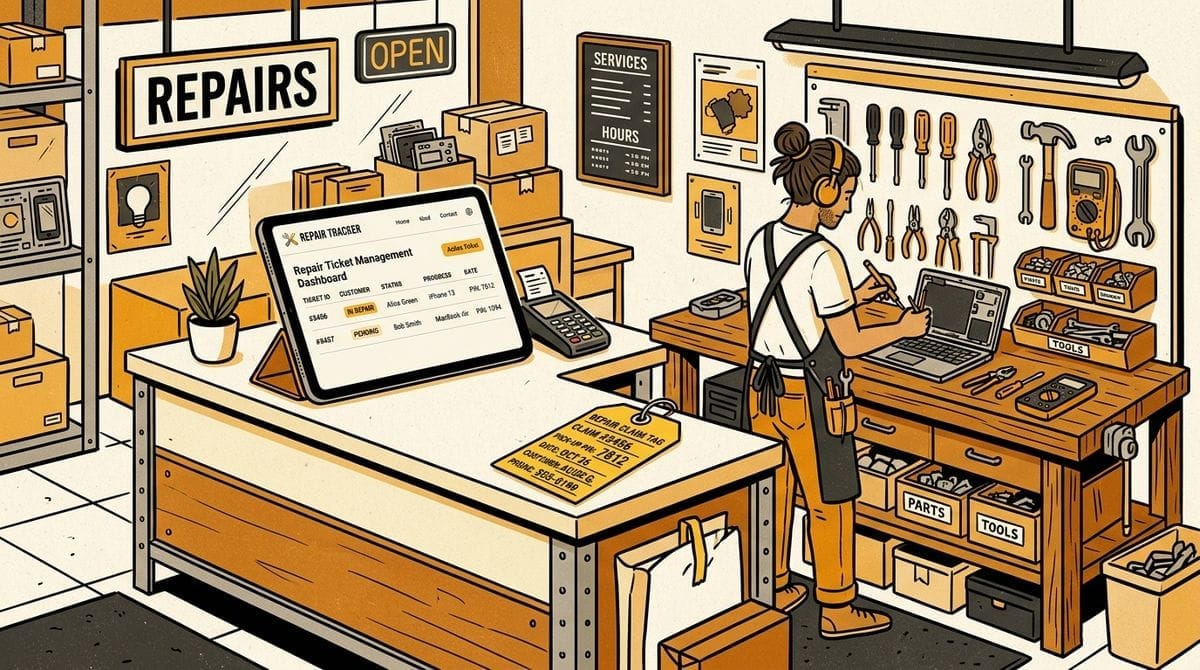
Every 15 minutes spent digging through storage racks, calling a customer whose voicemail is full, or squinting at smeared handwriting on a wrinkled claim tag directly cuts into your bench time. For most independent repair shops, these invisible gaps silently drain 4 to 8 billable hours every week. Clear repair ticket management eliminates that constant low-grade chaos, turning messy counters and cluttered shelves into a predictable workflow from intake to pickup.
Whether you fix luxury watches, resole heritage boots, alter suits, or repair electronics, your tickets are the operational backbone of your storefront. When a ticket is vague or gets separated from an item, everything downstream breaks: technicians work on the wrong tasks, front desk staff quote incorrect balances, and customers wait weeks for updates that should take seconds.
This guide covers the complete blueprint for modern repair ticket management: how to design a fast intake process, organize physical storage, track multi-item work orders, and keep customers informed without manual phone calls.
Table of Contents
- What Is Repair Ticket Management?
- The 4 Costly Failure Points of Paper Tickets
- The Anatomy of an Effective Digital Repair Ticket
- A 4-Step Repair Ticket Lifecycle: Intake to Pickup
- Physical Shelf Tracking: Connecting Tickets to Storage Bins
- Automating the Pickup Loop with SMS
- Frequently Asked Questions
What Is Repair Ticket Management?
Repair ticket management is the end-to-end system a service business uses to log customer items, assign requested labor, track work-in-progress on the bench, and coordinate customer pickup.
Unlike standard retail point-of-sale (POS) systems that simply process a payment for a finished product, a repair ticket acts as a live service contract for customer-owned property. From the moment an item crosses your front counter, the ticket must track four critical elements simultaneously:
- Customer Identity & Contact: Who owns the item and how they prefer to receive updates.
- Detailed Work Scope: The exact services, custom notes, parts, and estimated completion time requested.
- Physical Storage Location: The specific bin, shelf, or rack where the item lives while in your shop.
- Fulfillment State: Real-time status indicating whether the job is queued, currently on the bench, finished, or picked up.
When any one of these four pillars is missing, shop operations quickly break down into guesswork and customer friction.
The 4 Costly Failure Points of Paper Tickets
Paper-based repair ticketing breaks down because physical tags easily detach, handwriting creates miscommunication, and manual tracking provides zero real-time visibility across your shop.
Most independent shops start with paper ticket books or triplicate carbon copies. While paper feels quick at the counter, it quickly becomes an operational bottleneck once you handle more than 20 active jobs at a time.
1. Detached Tags and Mystery Items
Paper tags tear, get wet, or slip off items during handling. When a tag separates from a pair of boots, a tailored coat, or a disassembled watch movement, technicians are left holding an unidentifiable item. Resolving these “mystery items” requires searching through paper stubs or waiting for an angry customer to walk in.
2. Smeared Handwriting and Vague Instructions
A hasty counter scribble like “fix buckle” or “check loose gear” leaves critical details up to technician guesswork. Without standardized checklist fields, staff forget to record pre-existing scratches, specific thread colors, or agreed price caps. When expectations are not documented clearly, shops end up absorbing the cost of customer disputes.
3. The “Walk to the Back” Status Search
When a customer calls asking if their item is ready, a paper system forces front-counter staff to stop what they are doing, walk into the workshop, and scan through shelves or bench trays. This interrupts technician focus and leaves counter lines waiting.
4. The Phone Tag Bottleneck
Leaving voicemails for completed jobs results in less than a 20% same-day response rate. Finished customer items end up sitting on your shelves for weeks, taking up valuable real estate and tying up unpaid balances simply because the customer never listened to their voicemail.
The Anatomy of an Effective Digital Repair Ticket
A modern digital repair ticket standardizes customer contact details, decomposes multi-item work into individual service tasks, and links each physical item to an explicit storage location.
To eliminate mistakes between the counter and the bench, a digital ticket must be structured so that anyone in the shop can understand an order’s status at a glance.
| Data Field | Purpose | Why It Matters |
|---|---|---|
| Customer Contact & Language | Phone number (E.164) and language preference | Enables automated transactional SMS alerts in the customer’s native language. |
| Multi-Item Breakdown | Distinct records for each physical item on the ticket | Allows independent progress tracking when one item in a multi-item order is completed before another. |
| Service Task Checklists | Specific labor items and prices per piece | Prevents missed steps (e.g. resoling heels vs. replacing full soles) and ensures accurate subtotal billing. |
| Shelf/Bin Location | Alpha-numeric grid coordinate (e.g. Shelf A-3, Bin 14) |
Enables counter staff to retrieve finished items in under 10 seconds during pickup. |
| Turnaround Due Date | Calculated completion target based on service duration | Helps bench technicians prioritize work in progress before deadlines slip. |
| Pickup Verification Code | Unique 4-digit PIN | Replaces easily lost paper stubs with secure counter verification. |
Handling Multi-Item Orders Gracefully
A common flaw in legacy software is forcing an order into a single text field. When a customer brings in two jackets and a pair of trousers, one jacket might require an express zipper replacement while the other requires a full lining restoration.
An effective ticket decomposes orders into separate item cards with individual service checklists. Technicians can check off tasks as they finish them without prematurely marking the entire order as ready for pickup.
A 4-Step Repair Ticket Lifecycle: Intake to Pickup
A streamlined repair ticket lifecycle moves smoothly across four stages: counter intake, workshop execution, automated notification, and counter handoff.
When each stage has clear rules, shop staff spend less time managing logistics and more time completing billable repair work.
Step 1: Rapid Counter Intake (Under 30 Seconds)
Customer intake at the counter must be faster than writing on a paper stub. Entering a 10-digit phone number automatically pulls up existing customer history and preferred language. Staff select requested services from standard presets, auto-calculating the subtotal and estimating the turnaround due date based on the longest required service.
Step 2: Visual Bench Progression
Once logged, tickets enter a visual Kanban pipeline (Received → In Progress → Done). Bench technicians can filter work by priority due date or service type. As individual steps (e.g. cleaning, gluing, stitching, testing) are completed, technicians check off sub-items directly on their tablet or workstation screen.
Step 3: Automated Ready Notification
The moment all items on a ticket are completed and the order is marked Done, the system automatically sends a transactional SMS notification to the customer. The text includes:
- The store name and pickup address.
- Outstanding balance or paid confirmation.
- A unique 4-digit pickup PIN for secure counter redemption.
Step 4: Frictionless Pickup and Shelf Release
When the customer arrives, they provide their phone number or 4-digit PIN. The counter clerk immediately sees the exact shelf coordinate (e.g. Shelf A-4), collects any unpaid balance, retrieves the item without searching, and marks the ticket as collected. The shelf coordinate immediately returns to the pool of available locations for new incoming work.
Physical Shelf Tracking: Connecting Tickets to Storage Bins
Shelf tracking connects digital repair tickets to physical storage coordinates, eliminating the time staff waste searching through backroom shelves during customer pickup.
A digital ticket is only as good as your physical storage system. In most repair shops, finished repairs end up stacked haphazardly on back tables or crammed into bins without labels.
Grid Coordinates vs. Chaotic Stacking
Instead of organizing items alphabetically by customer name, which leads to constant shuffling as new items arrive, organize your storage into permanent alpha-numeric grid coordinates:
- Shelves: Label rows and columns clearly (e.g.
Shelf A-1toShelf D-4). - Hanging Racks: Number coat racks or garment slots sequentially (e.g.
Rack 101toRack 150). - Small Parts Trays / Vaults: Use numbered drawer units for watches, jewelry, or electronics (e.g.
Bin 1toBin 50).
Dynamic Slot Allocation
When an intake ticket is created, assign it to an available shelf or bin tag. When the customer picks up the finished item, marking the ticket as Collected automatically frees up that coordinate for the next intake.
By linking physical storage directly to digital tickets, counter staff never have to ask “where did we put Mr. Davis’s boots?” You can explore our dedicated shelf tracking system to see how dynamic slot management keeps storage clear.
Automating the Pickup Loop with SMS
Automated transactional SMS notifications cut shelf holding times in half by delivering instant, readable pickup alerts directly to customer phones.
Phone calls and voicemails are the biggest productivity drain in customer communication. Customers rarely answer unknown numbers, and voicemail notifications are often ignored for days.
Why SMS Outperforms Phone Calls and Email
Text messages deliver a 98% open rate, with the vast majority read within 3 minutes of delivery. When a repair is marked Done, an automated text ensures the customer knows their item is ready before they leave work for the day.
What Makes an Effective Repair SMS?
A transactional pickup alert should be short, practical, and clear:
- Store Identity: Immediately state your store name so the customer recognizes the sender.
- Clear Financials: Specify whether the order is already paid or state the exact balance due upon arrival.
- Claim Verification PIN: Provide a unique 4-digit PIN so customers can claim their item even if they lose their paper receipt.
- Actionable Details: Include your store hours and street address to prevent unnecessary phone inquiries.
Hi Sarah, your boots are ready for pickup at Cobbler Craft!
Balance due: $45.00.
Pickup PIN: 8492
Hours: Mon-Sat 9am-6pm (123 Main St).
Reply STOP to unsubscribe.
Staying Carrier Compliant
To comply with modern telecom regulations (such as 10DLC in the US), always obtain verbal consent at intake and ensure messages are strictly transactional. Learn more about setting up compliant, zero-spam alerts with our automated customer notifications guide.
Frequently Asked Questions
What is the difference between a repair ticket and a retail POS receipt?
A retail POS receipt records a completed transaction for inventory you already own. A repair ticket is an active service contract that tracks customer-owned property through diagnostic, labor, physical shelf storage, and pickup verification phases before final collection.
How do repair shops track tickets without printing paper stubs?
Digital repair management systems send a transactional SMS with a 4-digit pickup PIN immediately upon intake. Customers use their phone number or digital PIN at the counter during pickup, completely removing the need for printed claim tickets.
How do you prevent customers from claiming someone else’s repair without a paper tag?
By verifying the customer’s identity with a unique 4-digit PIN sent via secure SMS to their registered phone number. Only the person with access to the verified phone number can provide the PIN at the register during collection.
What should a repair shop do with unclaimed repairs?
Automate a 3-tier reminder cadence (initial ready alert, 3-day reminder, and 7-day final notice). Clearly state your shop’s abandoned property policy (e.g. 30 or 60 days) on your intake terms so customers are fully aware of storage deadlines.