How to Manage Shoe Repair Orders Without Spreadsheets
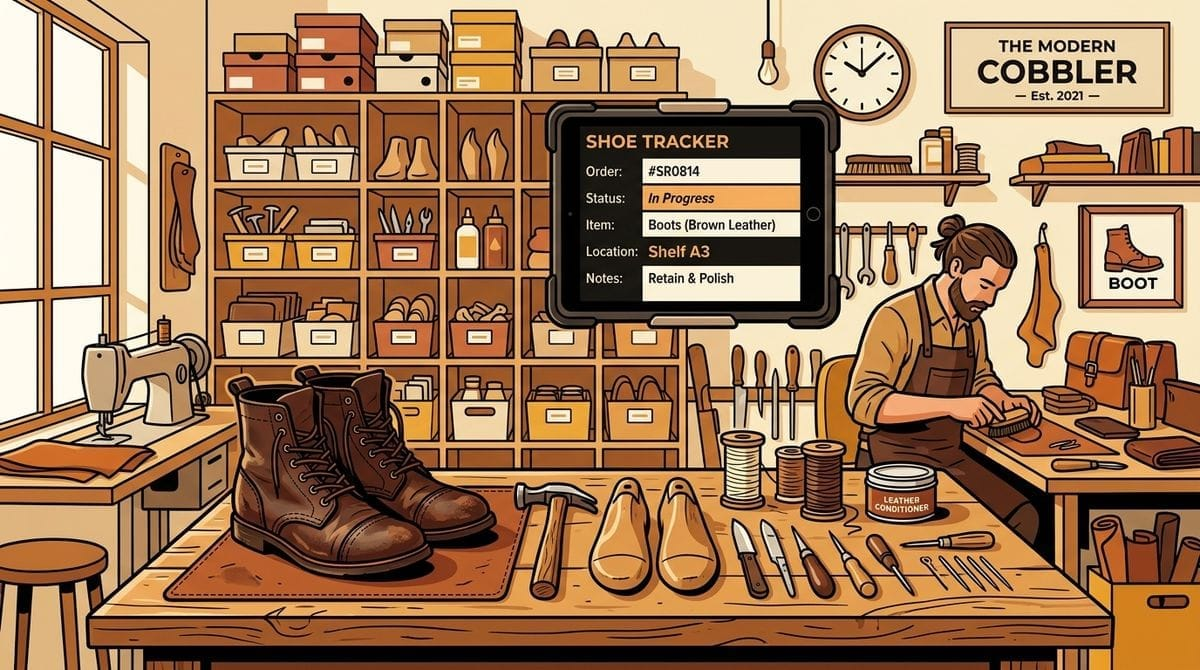
If you run a busy shoe repair shop, you know the feeling. The counter gets busy, heels and soles stack up in the back, and the paper ticket book starts filling up.
To keep track of everything, many store owners turn to Excel or Google Sheets. It seems like a quick, free solution at first. But as the orders pile up, spreadsheets quickly turn into a headache. Clerks forget to update rows, columns get messed up, and you still have to spend hours calling customers manually when their shoes are ready.
In this guide, we will look at why spreadsheets fail shoe repair shop management and show you a simple, structured workflow to track orders, notify customers, and keep your shelves clear.
Table of Contents
- Why Shoe Repair Shops Struggle with Order Tracking
- How Much Time Manual Customer Calls Actually Cost
- Common Tracking Methods Compared
- A Simple 5-Step Workflow for Managing Repairs
- Real-World Example: Joe’s Shoe Repair
- Frequently Asked Questions
Why Shoe Repair Shops Struggle with Order Tracking
Shoe repair is a unique business. Unlike retail stores that sell pre-packaged items, you are taking in a customer’s personal property, diagnosing a problem, performing manual labor, storing the item, and returning it.
This process breaks down when shops rely on outdated systems:
- Paper Ticket Books: Carbon copies tear off, get lost under benches, or become unreadable due to glue and polish stains.
- Sticky Notes: They lose their stickiness and fall off boxes or shoe trees, leaving you with a pair of boots and no idea who owns them.
- Verbal Communication: If one employee takes in a pair of wingtips and another performs the repair, details get lost in translation.
- Lack of Central Storage: When a customer walks in to collect their item, staff waste precious minutes checking every shelf and hanger because there is no recorded shelf location tracking coordinate.
How Much Time Manual Customer Calls Actually Cost
Calling customers manually to say “your shoes are ready” is one of the biggest hidden costs in your day. Here is a simple breakdown of the math:
| Metric | Daily Impact |
|---|---|
| Average Repairs Completed | 15 repairs / day |
| Time per Phone Call | 3 minutes (dialing, ringing, explaining, or leaving a voicemail) |
| Total Daily Calling Time | 45 minutes / day |
| Monthly Time Spent | 22.5 hours / month |
That is almost three full business days every month spent just dialing numbers and talking to answering machines. If you value your time at $30/hour, manual calls are costing you over $670 every single month in lost productivity.
Common Tracking Methods Compared
Let’s look at the pros and cons of the options available to shoe repair store owners today.
1. Paper Ticket Books
The traditional way. You write down the details on a carbon-copy pad, give one sheet to the customer, and attach the other to the shoes.
- Pros: No computer required; cheap to buy; fast to scribble down at the counter.
- Cons: No digital search; easy to lose; doesn’t notify the customer; zero analytics.
2. Excel or Google Sheets
Using a digital grid to log ticket numbers, customer names, and completion status.
- Pros: Free; accessible on a tablet or phone; searchable.
- Cons: Easy to overwrite data by accident; requires manual data entry for every change; doesn’t automate customer text messages; spreadsheet gets slow over time.
3. All-in-One POS Systems
Heavyweight point-of-sale software designed for general dry cleaning or retail.
- Pros: Feature-rich; manages barcode scanners; handles complex employee payroll.
- Cons: Expensive monthly fees; steep learning curve; clunky interfaces; overkill for small storefronts that only need basic order tracking.
4. Dedicated Repair Tracking Software
Lightweight tools focused strictly on intake, status updates, and automated notifications.
- Pros: Fast counter intake; sends automated text alerts; stores shelf locations; very easy for staff to learn.
- Cons: Requires an internet connection; doesn’t handle complex retail inventory.
A Simple 5-Step Workflow for Managing Repairs
To keep your shop running smoothly without spreadsheets, you need a standard operating procedure (SOP) that takes less than 30 seconds per order.
- Intake: Type the customer’s name, phone number, and a brief description of the repair (e.g., “Vibram half-soles on black loafers”).
- Assign Shelf Location: Place the shoes in a specific physical coordinate (like
Rack B-4orBin 12) and record that coordinate digitally using shelf location tracking. - Perform the Repair: Move the ticket status to In Progress so the team knows what is currently being worked on.
- Notify the Customer: When the work is done, mark it Ready. The system should instantly send an automated text message with a secure pickup PIN.
- Auto-Remind: If the customer hasn’t picked up their items after 7 days, the system automatically sends a friendly follow-up text to clear the backlog.
Real-World Example: Joe’s Shoe Repair
Let’s see how this works in practice.
Joe runs a shoe repair shop in Toronto. On Tuesday morning, he receives 12 pairs of shoes for repair.
- He inputs each pair into his tracking dashboard and assigns them a physical location:
Shelf A-3. - His helper, Dave, looks at the dashboard, sees the orders in To Do, and grabs the loafers from
Shelf A-3to start soling them. - Once Dave finishes, he taps Mark Ready on the tablet.
- The system instantly sends an automated SMS to the customer:
“Hi Sarah, your black loafers are ready for collection at Joe’s Shoe Repair! Please show PIN 8291 at the counter.”
- Sarah walks in the next afternoon, shows her PIN, and Joe walks straight to
Shelf A-3to hand her the loafers in under 10 seconds. No searching, no delays.
Frequently Asked Questions
Should I use spreadsheets for my repair shop?
Only if you have fewer than 3 repairs a day. Once your volume increases, spreadsheets take too much manual work to update and lead to duplicate entries and missed notifications.
Should I text customers or call them?
Texting is always better. Over 90% of text messages are read within three minutes, whereas phone calls from unknown numbers usually go straight to voicemail.
How long should unclaimed repairs stay on shelves?
Most shops have a 30-day policy. With automated reminders at 7 days and 14 days, you can reduce your unclaimed backlog by over 70%, keeping your shelf space clear.
What software should I use?
If you want a simple, lightweight tool that handles tickets, shelf tracking, and SMS notifications without the bloat of a massive POS system, Shelvdon is designed specifically for this.